
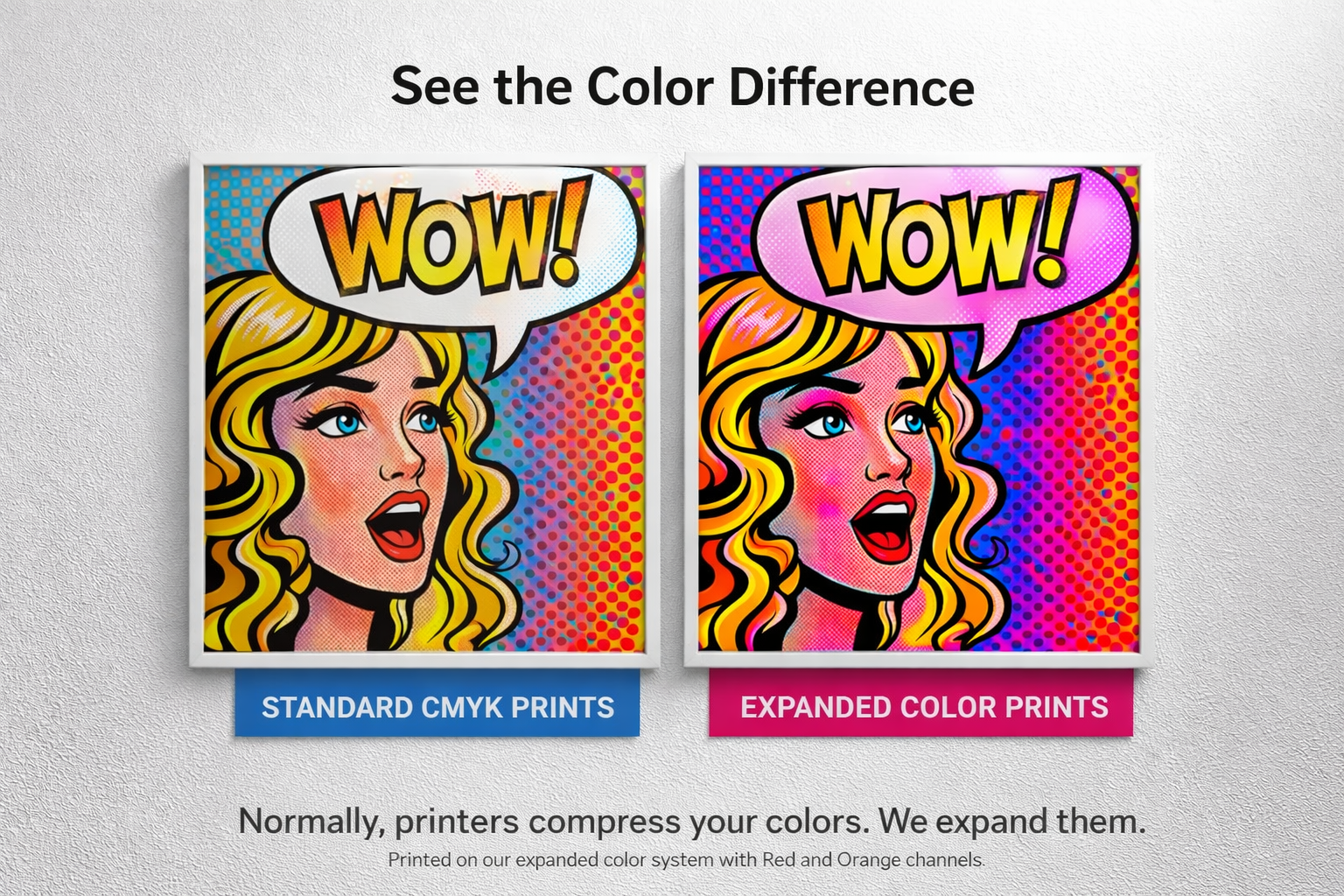
Why Your Stickers Look Dull
You designed something that looked perfect on your screen.
Bright colors. Clean gradients. Sharp contrast.
Then your stickers arrive… and something feels off.
Colors look flatter. Reds aren’t as deep. Greens lost their brightness.
This happens all the time — and it’s not your fault.
RGB vs CMYK (The Simple Truth)
RGB (Red, Green, Blue) is what your screen uses.
It produces bright, vibrant colors using light.
CMYK (Cyan, Magenta, Yellow, Black) is what most printers use.
It produces color using ink — which has limits.
When your design gets printed, it has to be converted from RGB to CMYK.
That conversion is where most of the damage happens.
The Real Reason Your Stickers Look Washed Out
Most sticker companies use basic CMYK-only printing.
That means:
- Bright RGB colors get compressed
- Vibrant tones lose intensity
- Gradients become less smooth
- Some colors simply can’t be reproduced
The result is a sticker that looks dull compared to your original design.
How We Print Differently
At Sticker Swan, we don’t rely on standard CMYK alone.
We print using an expanded color system that goes beyond traditional CMYK, so your colors stay vibrant instead of getting downgraded.
This includes:
- CMYK
- Light Cyan and Light Magenta
- Light Black, Green
- White Ink
- Silver Ink (Metallic)
- Orange and Red ink channels
This expanded setup allows us to reproduce a much wider range of colors.
What That Means for You
- Brighter, more accurate reds
- Stronger oranges and warm tones
- Better color match to your screen
- Smoother gradients
- More vibrant, eye-catching stickers
This is the difference between “close enough” and “exactly what I expected.”
Common Color Problems (And Why They Happen)
Neon green turns dull because CMYK cannot reproduce that brightness
Deep red looks muddy because it gets compressed during conversion
Gradients look rough because of limited color transitions
Brand colors shift because the printer cannot match the original spectrum
Expanded gamut printing helps solve these problems.
How to Get the Best Print Results
Upload your design in RGB format
Use high-resolution PNG files
Avoid screenshots or compressed images
Use transparent backgrounds when possible
We handle the conversion properly on our end to preserve color quality.
Why This Matters
Your sticker represents your brand.
If the color is off, people notice — even if they can’t explain why.
That’s why we focus on:
- High-end printing equipment
- Expanded color range
- Premium inks
- Professional finishing and lamination
Try It Yourself
If you’ve been disappointed with sticker quality before, this is where things change.
Get 100 custom vinyl stickers for $25 with fast turnaround and free U.S. shipping.
See the difference for yourself.
FAQ
Should I upload RGB or CMYK for stickers?
Upload RGB. We optimize it for print using our expanded color process.
Why do printed colors look different than my screen?
Screens use light. Printing uses ink. Most printers compress color. We expand it.
What is expanded color gamut printing?
It is a printing method that uses additional ink channels to reproduce more colors than standard CMYK.
Can you match my brand colors exactly?
We get significantly closer than standard printers, especially for reds, oranges, and gradients.
Why do cheap stickers look dull?
They are usually printed with basic CMYK workflows that limit color range.


Share:
The Best Place to Order Art Posters Online (Trusted by Artists & Studios Nationwide)